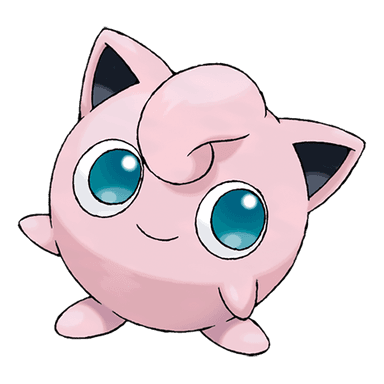
PokemonRecognizer — a practical mini‑project to learn PyTorch and data handling
8 grudnia 2025

This project is a compact, hands‑on notebook that walks through building a small image classifier which decides whether a plush toy is Jigglypuff or Bulbasaur. It’s intentionally simple so you can focus on data handling, model structure and tuning basic hyperparameters.
Below I summarize how the code works, what the main components are, and which tools are used.
Quick overview
- Goal: binary image classification (Jigglypuff vs Bulbasaur).
- Data: images stored in a local Google Drive folder, loaded with torchvision/ImageFolder.
- Model: a TinyVGG-like custom convolutional network (small CNN).
- Training: custom training loop separated into train_step and dev_step + an outer train function that tracks metrics and logs to TensorBoard.
- Output: saved model files and TensorBoard logs for experiment tracking.
How it works (high‑level)
-
Data preparation
- Images are kept on Google Drive and optionally zipped/unzipped in the notebook.
- The notebook uses PIL (with pillow‑avif‑plugin) to ensure diverse image formats (jfif, avif, etc.) can be loaded.
- torchvision.datasets.ImageFolder + torchvision.transforms handle:
- resizing to 64×64,
- random horizontal flips for augmentation,
- conversion to torch.Tensor.
- DataLoader wraps the datasets to provide batching, shuffling, and parallel workers.
-
Model
- TinyVGG: a small CNN implemented with PyTorch nn.Module.
- Two convolutional blocks with Conv2d → ReLU → Conv2d → ReLU → MaxPool, then a classifier (Flatten + Linear).
- The notebook demonstrates how to test intermediate shapes to compute in_features for the linear layer.
-
Training engine
- train_step: runs a single epoch over the training DataLoader, computing batch loss, running optimizer steps, and accumulating accuracy.
- dev_step: runs evaluation with torch.inference_mode (no grads) and computes validation loss/accuracy.
- train (outer): loops epochs, calls train_step + dev_step, prints metrics and records them.
- TensorBoard SummaryWriter is used to log Loss and Accuracy curves and optionally the computational graph.
-
Utilities and scripts
- The notebook writes Python modules (data_setup.py, engine.py, model_builder.py, train.py, utils.py) into a local scripts folder — useful for turning the notebook into a runnable script.
- train.py accepts argparse arguments for hyperparameters (epochs, batch size, learning rate, hidden units, etc.) so experiments are reproducible.
Key tools and libraries
-
Python ecosystem:
- PyTorch (torch, torch.nn, torch.optim): model building, training, GPU support.
- torchvision: ImageFolder dataset, transforms, and image utilities.
- PIL / Pillow + pillow-avif-plugin: robust image loading for formats like jfif and avif.
- TensorBoard (torch.utils.tensorboard.SummaryWriter): experiment logging and visualization.
- matplotlib: simple visualization of sample images.
- Google Colab + Drive: convenient environment and persistent data storage.
- tqdm: training progress bars.
-
Project structure approach:
- Convert exploratory notebook cells into small, importable .py modules (data_setup, engine, model_builder, utils, train) so the code is modular and runnable outside Colab.
Important implementation details & choices
- Image size: 64×64 — small and fast for experiments but may limit accuracy.
- Data augmentation: RandomHorizontalFlip only — you can add brightness/rotation/crop to improve robustness.
- Batch size and optimizer: Adam is used; hyperparameters are handled via argparse for easy tuning.
- Accuracy computation: done per batch by argmax and comparing predicted labels with ground truth; averaged over batches.
- Device awareness: code checks for CUDA and uses .to(device) for tensors and model.
Suggestions / next steps
- Expand augmentations (RandomRotation, ColorJitter) to reduce overfitting.
- Replace the custom TinyVGG with a pretrained model (transfer learning) for better performance with small datasets (e.g., MobileNet/ResNet).
- Add class‑balanced metrics and more robust accuracy/precision/recall logging (torchmetrics).
- Add checkpointing during training (save best model by validation loss) and a small inference script to test single images.
- Consider a clearer train/validation/test split and cross‑validation when dataset grows.
Conclusion
This notebook is a nice tutorial-style mini project: it covers practical steps from raw image files to a trained model, shows how to modularize notebook code into scripts, and integrates experiment tracking with TensorBoard. It’s an excellent starting point for learning the end‑to‑end workflow of training CNNs in PyTorch.
GitHub Repository: PokemonRecognizer